

How to use Flodesk without a website (2026 tutorial)
You don't need a website to use Flodesk and start email marketing! Set up a Flodesk landing page in just 5 minutes in this tutorial…
If you want to start growing an email list, but don’t have a website ready yet, Flodesk has you covered! You definitely don’t need a website in order to share sign up forms, collect subscribers, and send out your first email newsletters and automations, and I’m going to show you how…
Table of Contents
*Disclaimer: This post contains affiliate links where I get a small commission if you make a purchase, so thank you in advance for your support! Please know I would never recommend anything that I don’t personally LOVE myself.
Watch the video below for the tutorial or keep scrolling to read:
What is Flodesk?
Flodesk* is an email marketing tool that allows you to grow a list of email subscribers and send email newsletters and automated email promotions with ease. It’s a tool I’ve been using for 7+ years myself, and recommend to all my clients who want to get started with email marketing!
If you’re wondering whether Flodesk is the right tool for you, I have loads more information as well as tool comparisons in my Ultimate Guide to Flodesk here.
PLUS a step-by-step beginners tutorial for Flodesk to help you get set up and sending your first email newsletters!
Can I use Flodesk without a website?
You can easily use Flodesk to grow your email list without needing a website, thanks to its full landing page forms and other features!
It might seem kind of crazy coming from a website designer of 11+ years, but honestly I’d actually encourage you to start growing an email list BEFORE you’re ready with a website! Don’t let a lack of website hold you back from getting started.
(If you happen to already have a website or planning to create a Squarespace website, I have a full tutorial on connecting Flodesk to Squarespace here).
Flodesk landing page form tutorial (no website needed!)
Prep your flodesk account
Before you get started, you’ll want to create your Flodesk account*, complete all your settings, and think of a way to incentive people to sign up to your email list (ie. just saying ‘join my newsletter’ isn’t very inviting!). I cover all of this in my ultimate Flodesk setup tutorial for beginners.
Create a ‘full page form’
Go into Forms > New Form and click on ‘Full page’. Here you’ll see a selection of templates for full landing pages you can create with Flodesk:
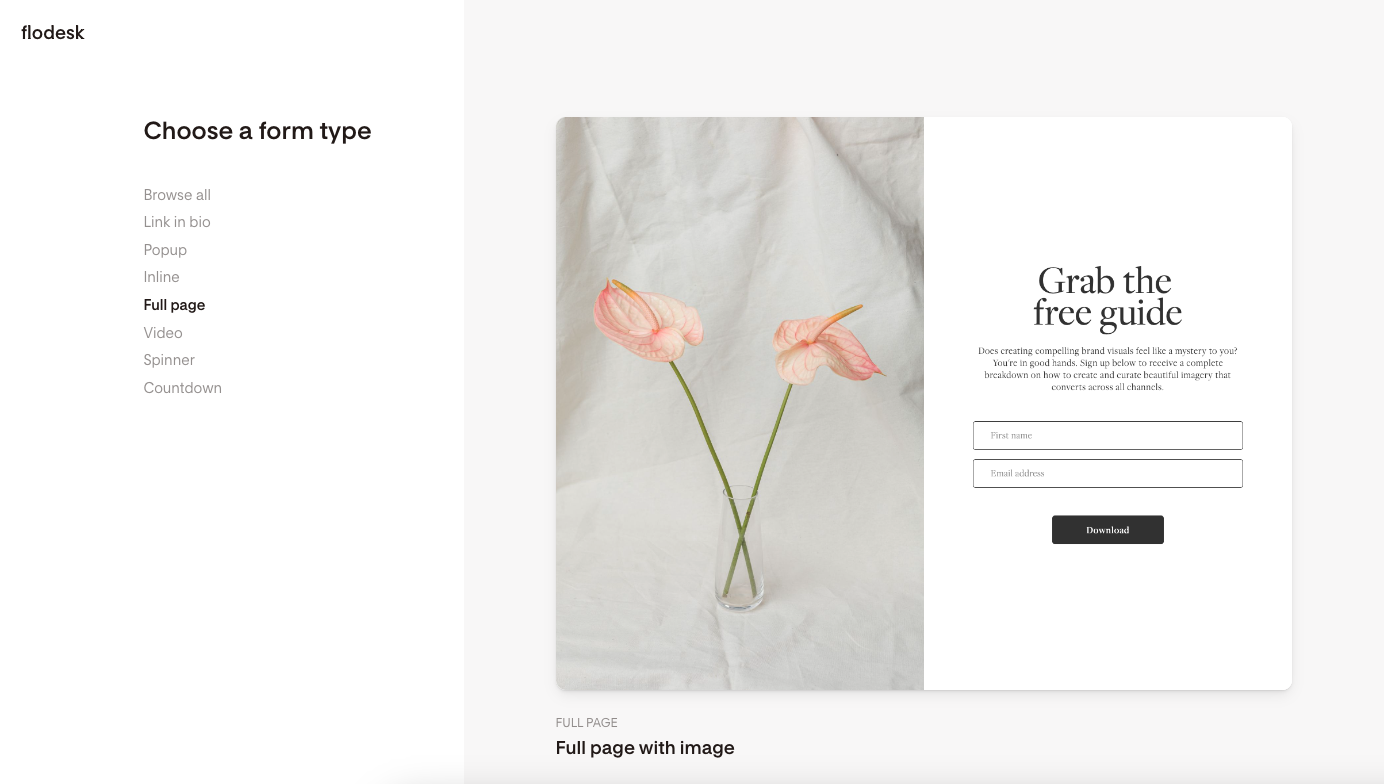
Choose a template, select which segment you want to add new subscribers to (or create a new one here), and customise this full page form and landing page with your branding and wording!
Set your landing page url
Before you share your new landing page form, go to the Settings and make sure all of the settings on your form are correct for what you need (eg. do you want to enable double opt in? get notifications when someone signs up? etc.).
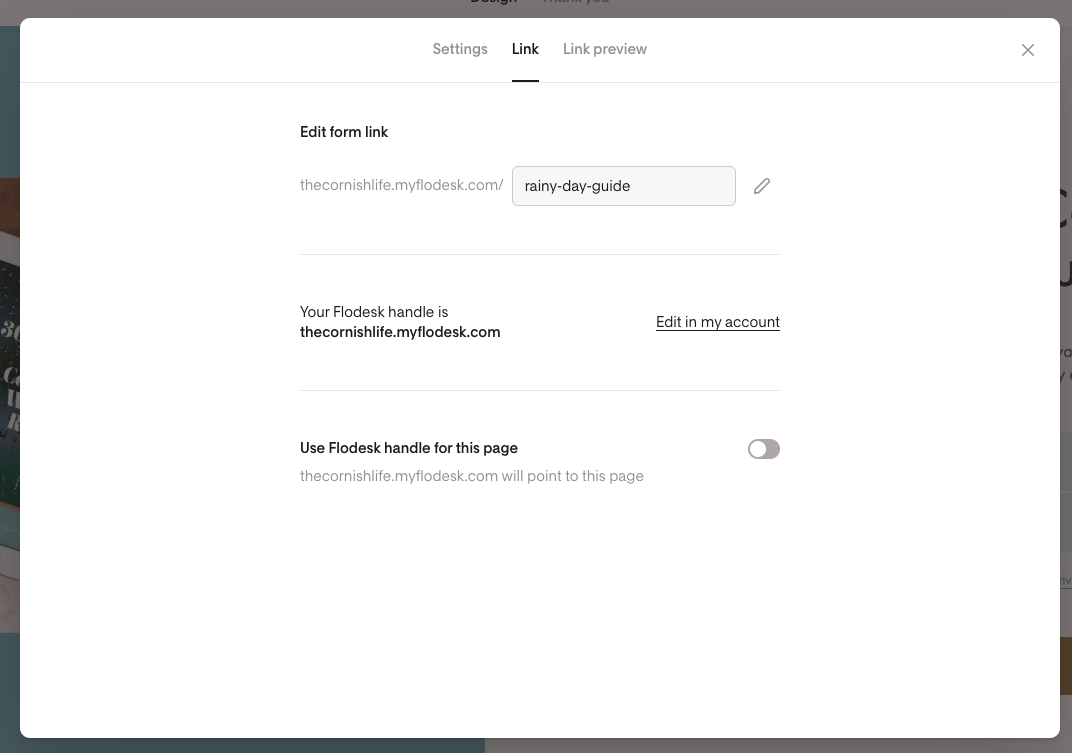
Then click on ‘Link’ at the top to specific what you want the link to this landing page to be.
The form link will always start with your Flodesk domain handle (eg. thecornishlife.myflodesk.com) but you can set what you want the rest of the url to be.
(Also if your Flodesk domain looks like a weird word that doesn’t make sense, this just means you haven’t chosen your ‘handle’ yet, and you can do that by clicking ‘edit in my account’):
Next, go to ‘Link Preview’ and upload an image and change the preview text to something relevant so that when you share the link on places like Facebook, LinkedIn, WhatsApp etc, the preview that appears is all branded and not generic ‘Flodesk’ info!
Share your Flodesk webpage!
The final step is to click ‘Share’ and Flodesk will give you a live link to your webpage which you can click on and test, and then share wherever you like to start collecting email subscribers!
How to sell products & services on Flodesk
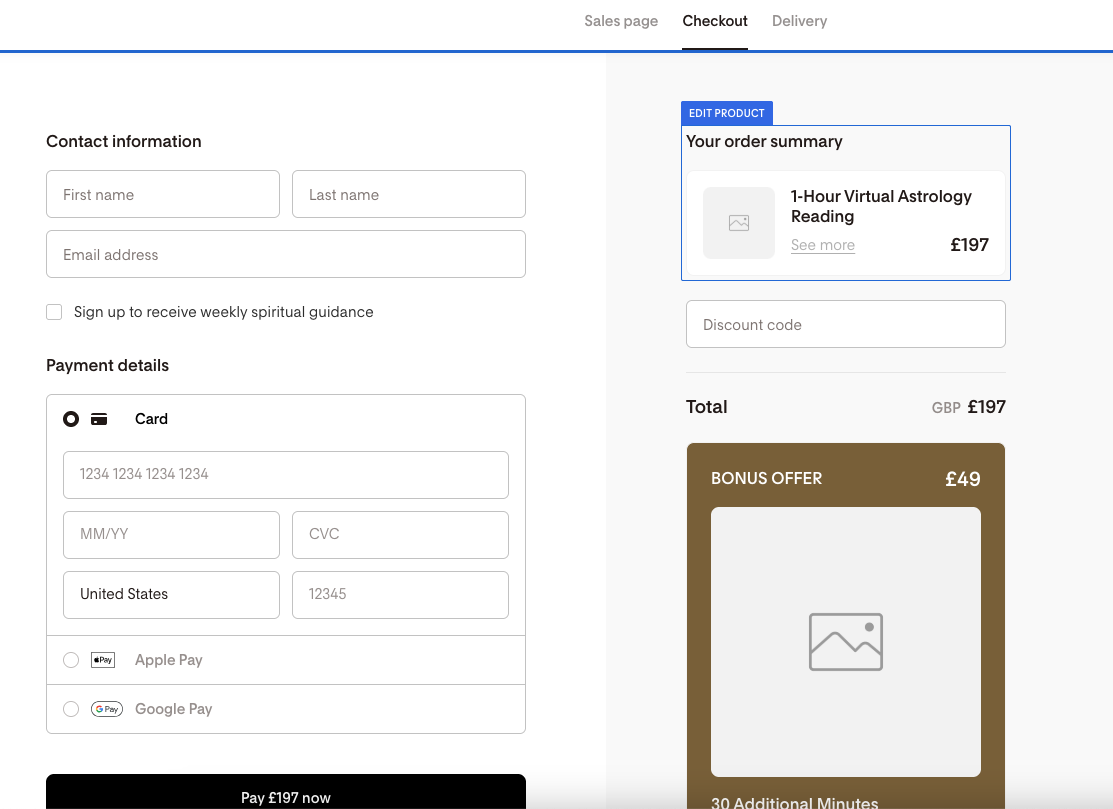
If you really want, you can actually use Flodesk as a proper website to sell your products or services too! Flodesk Checkout* is an add-on you can add to your subscription that allows you to create full sales pages, take payments and more!
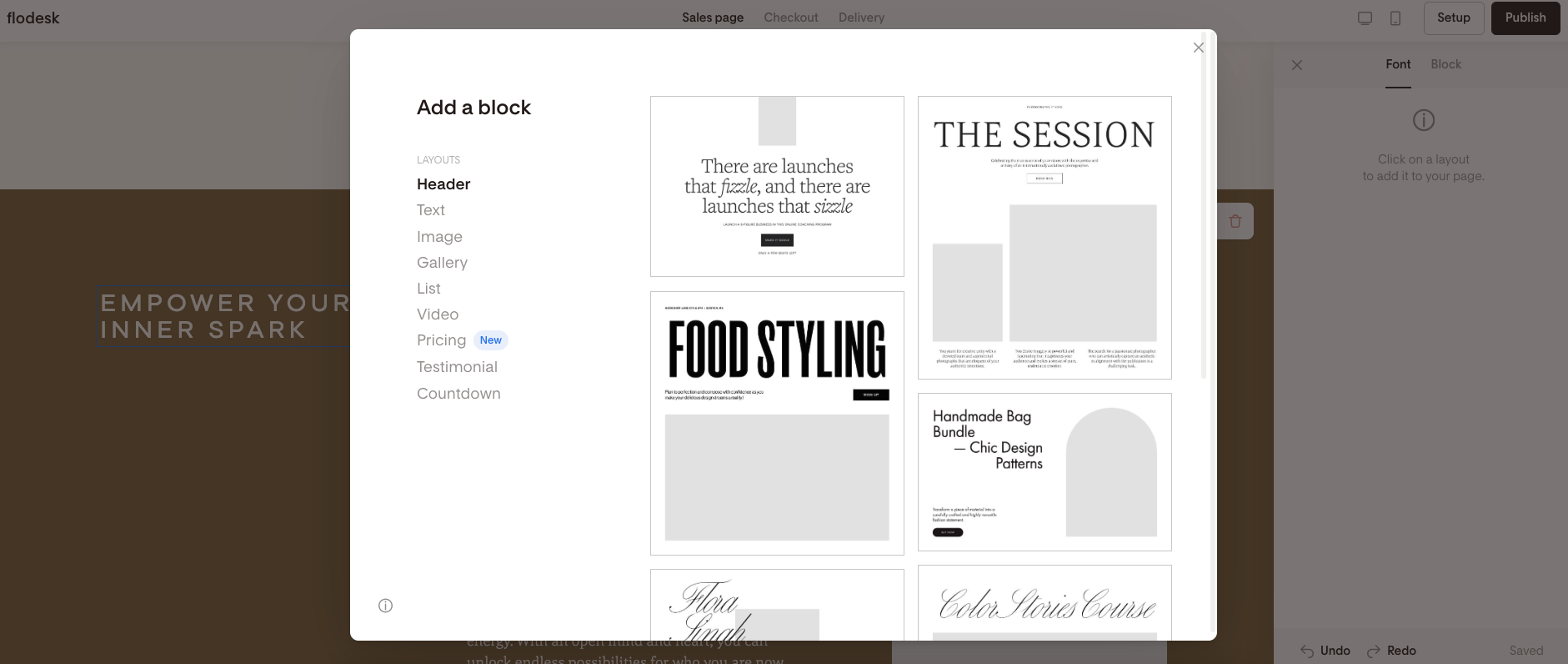
You can literally design these pages just like you might a webpage in Squarespace, with loads of predesigned layout blocks to choose from, plus endless styling options to customise it for your brand.
You can set pricing, take subscription payments, add ‘order bumps’ and bonuses, creating a full sales funnel for your business.
Again, no website needed!
Get 25% off your first year of Flodesk!
If you’re planning to use Flodesk for your email marketing, don’t miss out on getting a 25% discount on your first year of both the email marketing only AND Flodesk Checkout plans - depending on which you’d prefer to use :)
Sign up using my link* below!
Or use my code (00G2QH) at the checkout when you subscribe to a paid plan for the first time.