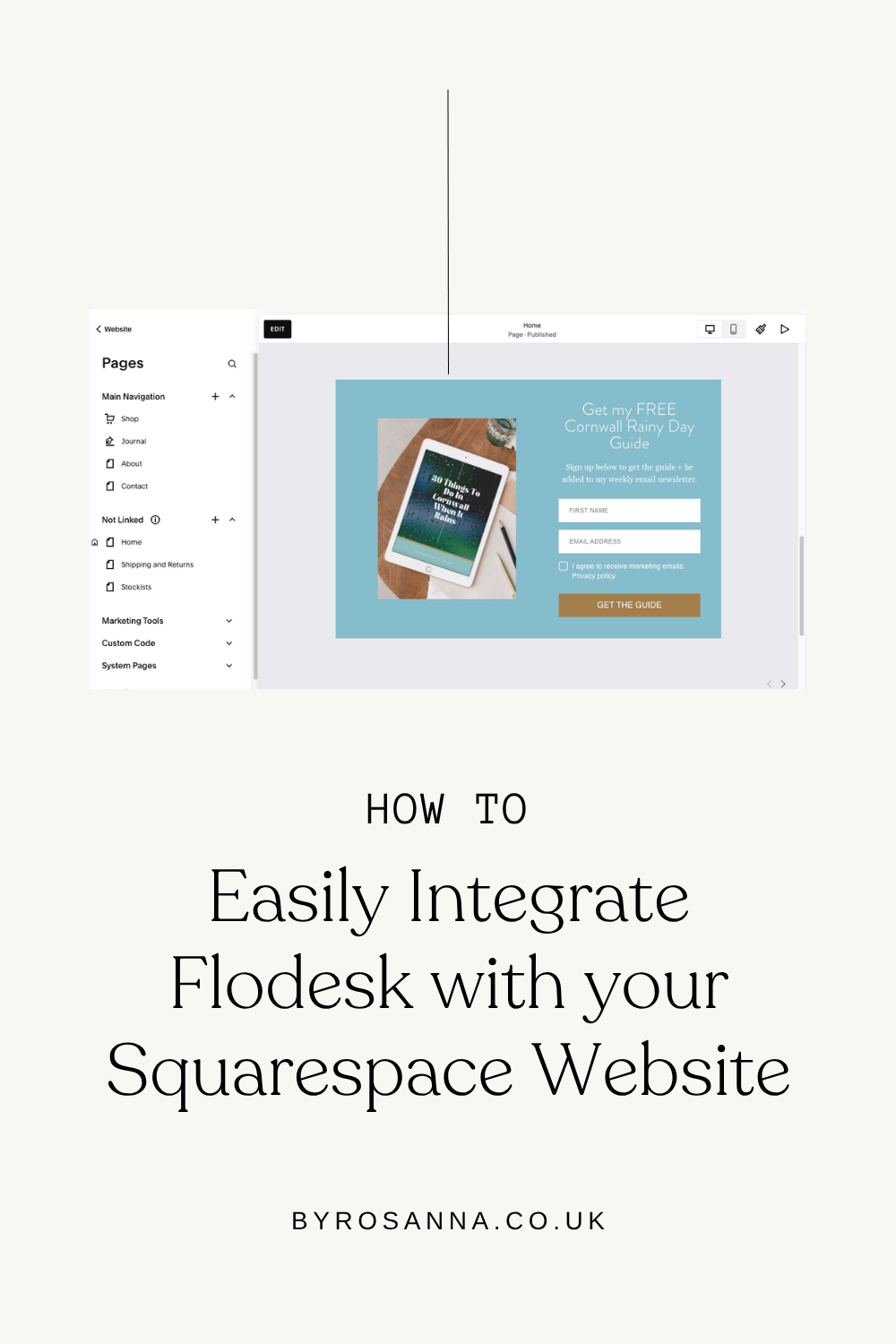

How to Connect Flodesk to your Squarespace Website (Easy Integration Tutorial)

Decided to use Flodesk and Squarespace together? Here are a few ways to connect your email marketing to your website.
Flodesk is the email marketing software I personally use, love, and recommend to most of my Squarespace website design clients, and have been for over 7 years now.
It’s an amazing alternative to other more complex and expensive email marketing softwares (such as Mailchimp, ConvertKit, ActiveCampaign etc), plus you can take advantage of of my 25% discount on your first year if you use my sign up link to create your Flodesk account*!
Or if you’d like to find out more about Flodesk (including comparisons with Mailchimp, Mailerlite, Squarespace and more), check out my ‘Ultimate Guide to Flodesk’ page.
Table of Contents
*Disclaimer: This post contains affiliate links where I get a small commission if you make a purchase, so thank you in advance for your support! Please know I would never recommend anything that I don’t personally LOVE myself.
However if you’re wondering how to use Flodesk with Squarespace specifically, I have a video walkthrough just for you! (Or continue reading if you prefer that to watching…)
Why use Flodesk vs Squarespace Email Campaigns?
As you’re using Squarespace, you’ve probably noticed that they have their own native email marketing feature called ‘Email Campaigns’. As a Squarespace designer I’ve used both Flodesk and Squarespace Email Campaigns for my client websites, and while both are great in terms of being easy to use, they each have their own pros & cons.
Choosing which tool to use depends on a few factors of your business needs and priorities, so check out my Flodesk vs Squarespace Email Campaigns blog post for the full breakdown comparison and features!
How to embed Flodesk sign up forms onto your Squarespace website
The most obvious way to use Flodesk* with Squarespace is to add sign up forms around your website to encourage people to join your email list. You could add one to your Home page, your website footer, at the end of your blog posts, or even give it its own ‘sign up to my email newsletter’ page!

Example of a sign up form created in Flodesk
Not yet set up with Flodesk? Check out my full Flodesk tutorial for beginners that walks you through your account set up step-by-step, plus designing forms, emails and automations.
Step 1: Create your sign up form in Flodesk
Rather than use Squarespace’s ‘newsletter block’, you instead design the sign up forms inside Flodesk. But don’t worry, it’s easy to then embed these onto your Squarespace webpages as I’ll show you!
Be sure to start with aFlodesk ‘inline form’ design template to create embeddable forms.
Step 2: Copy & paste the ‘header’ code into Squarespace
Important: you only need to ever do this once just to connect Flodesk to Squarespace for the first time!
Once you’ve designed your form, click on ‘Embed’ and Flodesk will show you two snippets of code, and the ‘Header code’ is what you need to start with.

Copy this, go into your Squarespace dashboard, and go to Website, then scroll down to ‘Utilities’ and select ‘Website Tools’. Click on ‘Code Injection’, and paste the code snippet into the ‘Header’ area and save.

Step 3: Copy & paste the ‘inline code’ into your Squarespace page
Now copy that second ‘inline’ snippet of code from Flodesk and open up the Squarespace page you want to add your sign up form to. Add a ‘code block’ to the page, and paste the code snippet inside.

It may not display anything while you’re in ‘edit mode’ on the page, so save the page and exit edit mode and you should see the sign up form load! You’re done :)
PS. If you need to edit/update a form, you can do this inside Flodesk, and it will automatically update wherever you have embedded the forms on your website (no need to replace the code!).
Watch my video tutorial here all about how to set up forms and embed them into Squarespace.
How to add a Flodesk pop-up sign up form to Squarespace
You may have noticed when you go to create a new form in Flodesk*, you also have the options to create ‘pop-up’ sign up forms as well. You can easily connect these to your Squarespace website as well.
Step 1: Create a Pop-up sign up form in Flodesk
Go to Forms > New Form, and choose one of the pop-up form templates to start customising and tailoring to your needs.
Important: Click on the form ‘Settings’ and make sure you change it so the pop-up does NOT display immediately; this will be annoying for people who land on your website! I prefer to let it wait for 10 seconds before appearing.

Step 2: Connect the pop-up form to your Squarespace website
Click on ‘Embed’ and you’ll see just the ONE snippet of code. You want to copy this and add this to Squarespace, but WHERE you add this will depend on where you want the form to appear…
If you want the pop-up to display on EVERY page of your website…
Go to your Squarespace dashboard in Website > Pages, then scroll down until you see Custom Code on the left hand side underneath your pages. Click Code Injection, and paste in the Header code area.
If you want the pop-up to ONLY display on certain website pages…
Go to your Squarespace dashboard in Website, then hover over the page you want to add the pop-up to, click on the Settings cogwheel, and in the Page Settings, click on Advanced. Paste the code in here.

How to connect Squarespace contact form enquiries to Flodesk automatically
Another way you can connect Flodesk to Squarespace is to have your contact form enquiries automatically added to a Flodesk segment. Yes, you could manually add each enquiry by copying and pasting their info that you receive in your inbox and creating a new subscriber in Flodesk, but why do that when you can easily automate this process!
This does require the help of a third party tool called Zapier that helps us to connect different tools from across the web (eg. Squarespace and Flodesk!) and create automations between them. The free version of Zapier allows for up to 100 ‘zaps’ (ie. automations) per month, which is likely to be all you need for this.
The ‘zap’ you would create for this would look like:
Trigger: Squarespace contact form is completed
Action: Add contact form information as a subscriber to a Flodesk segment

How to connect Squarespace ecommerce customers to Flodesk automatically (Squarespace & Flodesk Integration)
As of August 2025, Flodesk has an easy one-click integration with Squarespace that automatically adds your Squarespace ecommerce customers to a segment in Flodesk.
This allows you to create post-purchase email automations/workflows in Flodesk for your customers (including the ability to filter by which product they purchased!), and add them to your email newsletter list as well - as long as they have opted in to receive marketing emails at the checkout.
To set this up, simply go into your Flodesk account settings, go to Integrations and select Squarespace. This will open a pop up for you to connect to your Squarespace store!
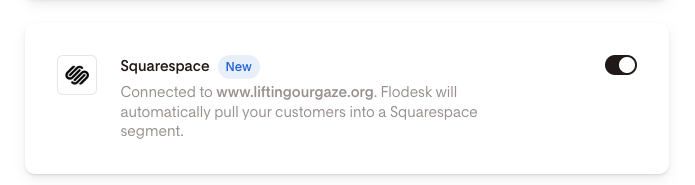
Important limitation to note: This integration will add ALL Squarespace customers to a segment named after your website (although you can rename this), so they are all in one place. It won’t add subscribers to different segments automatically based on which products they’ve purchased.
Workaround with (paid) Zapier: If you want to do this, you will need to use Zapier (similar to how I explained above), but with a step in between the trigger and action called a ‘filter’. With the filter you can basically specify that the action shouldn’t go ahead unless a specific product has been purchased, then it will add the customer to a product-specific segment. Filtering is a paid Zapier feature.
How to get 25% off your first year of Flodesk
I’ve been using Flodesk for over 6 years now and am HONESTLY obsessed with it! I love sharing tools that I genuinely love, and I’m grateful to be an affiliate partner for Flodesk as well.
This means if you sign up using my link (or start your paid plan using my code), you can get 25% off your first year 🎉
Or use my code (00G2QH) at the checkout when you subscribe to a paid plan for the first time.
Where to learn more about Flodesk
Check out my full Ultimate Guide to Flodesk where you can learn more about why I moved to Flodesk from previous email marketing platforms, comparisons and pros & cons, how to MOVE to Flodesk from other platforms, plus an in-depth, step-by-step Flodesk for beginners tutorial showing you how to:
Set up your account (including email and domain authentication)
Create and embed sign up forms onto your website
Set up a lead magnet freebie automated workflow
Send your first email newsletter