

3 Ways to Easily Grow Your Email List on Instagram
Build your email list by turning your Instagram followers and fans into subscribers with ease!
If you’re already using Instagram to promote your business online, you could also be harnessing this content platform to build a more valuable audience and asset - an email list!
You can get started right away, even if you haven’t tried email marketing before, and I’m going to show you 3 strategies for getting new email subscribers using your Instagram page.
Table of Contents
Watch this as a video on youtube or keep scrolling to read:
PLEASE NOTE: Flodesk’s pricing has changed since filming this video! They no longer offer a flat fee for unlimited subscribers, but their tiered paid plans are still amazing value!
Why is building an email list important for your business?
Instagram is a great platform for you to share content, have new audiences and potential clients discover you, and for you to engage with people in comments and DMs.
BUT, there are 2 main reasons why building an email list, and getting your Instagram followers to become email subscribers, is a more sustainable marketing strategy:
1. It’s harder to ‘convert’ from Instagram than with email
Instagram is a SOCIAL media platform. People use these apps because they want to see what their friends are up to, they want to scroll, and they want to escape. This, combined with the fact that social apps - like Instagram - are designed (with millions of ££ budgets) specifically to keep people on the app and NOT leave.
This means, if you’re trying to encourage someone to hire you, or fill out an enquiry form, it’s a lot harder on Instagram because you’re interrupting them from scrolling and asking them to take quite a significant action.
Meanwhile on an email list, people have a different intent when they’re scrolling through their inbox. They’re more likely to click a link to buy or learn more.
And because they’ve signed up deliberately to hear from you in their inbox (which is a strong indicator that they want to hear from you as it requires more effort than tapping a ‘follow’ button on Instagram), it’s not such a big leap to expect them to enquire and work with you from this point.
2. You don’t own your Instagram followers (but you do own your email list!)
It’s important not to rely on Instagram - or any social media platform, for that matter - as your sole content marketing channel, because you’re putting your whole business in the hands of the company that owns that platform.
It is unlikely, but if Instagram ever shut down or dramatically changed things, or randomly decided to remove your followers, there’s not much you can do about it! And you’d have to start from scratch with building an audience.
Meanwhile, with an email list, you technically own your list of email addresses. It’s an ASSET to your business, because you can export it and import it into any tool you wish. There’s no risk if your email marketing software of choice has an issue, because you can just take your list elsewhere (providing you’ve backed it up!). You will always have a way to communicate with the audience you’ve built.
Before we start: Choose an email marketing platform that makes this EASY!
So to grow an email list and start emailing your list, you’ll need to get set up with an email marketing software. There are TONNES on the market, but I personally use, love and recommend Flodesk*! The key reasons are:
It’s super easy and intuitive to use
They’re adding awesome new features all the time (one of which I’ll show you in this post!)
For more info about Flodesk, why I moved here from Mailchimp, and how to get set up, check out my Ultimate Guide to Flodesk page.
Get 50% off your first year of Flodesk! Sign up with my link* for a 30 day free trial and save ££ 💌
…and give people a valuable, relevant incentive to sign up!
Once you’re set up on your email marketing software, you’ll want to think of ways you can incentivise your target audience to hand over their email addresses to you.
I talk more about opt-in incentives and using this as a strategy to grow your email list inside my Email Marketing with Flodesk online course, but it could be anything from a valuable weekly email series on a certain topic, or a free video training/masterclass.
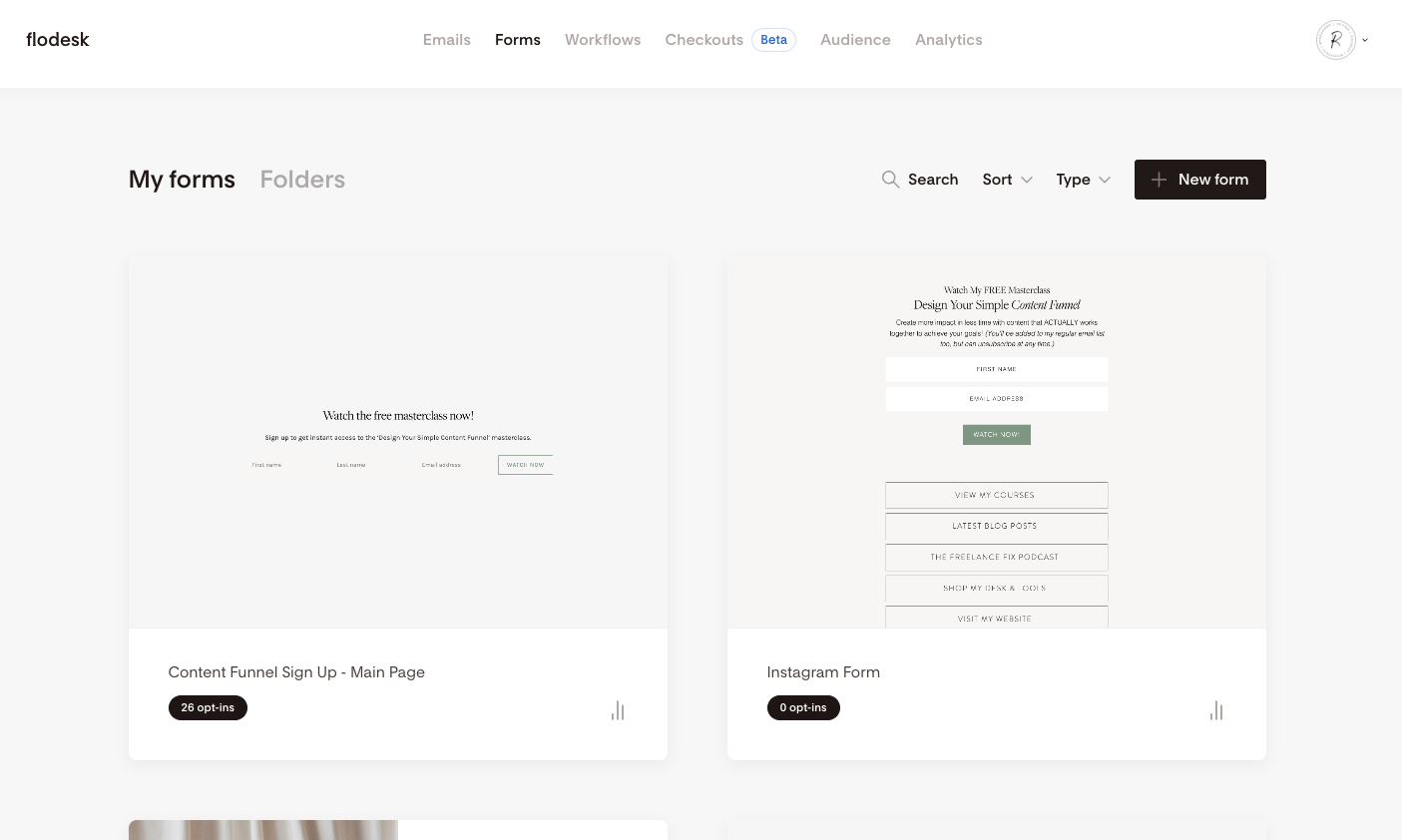
In your email marketing software, you’ll want to create a specific segment for this incentive (eg. Masterclass Sign Up). We’ll make sure that all our sign up forms add new subscribers to this segment, so we can keep track of who has signed up for it!
1. Share your sign up form links on Instagram Stories
Step 1: Create a sign up form & a link for your incentive
In most email marketing software, you create the sign up forms inside their tool (remembering to connect it up to the segment you’ve just created) and then you can embed them onto a page on your website. So if you’re able to do this, you’ll then end up with a link you can share on other platforms (eg. byrosanna.co.uk/newsletter).
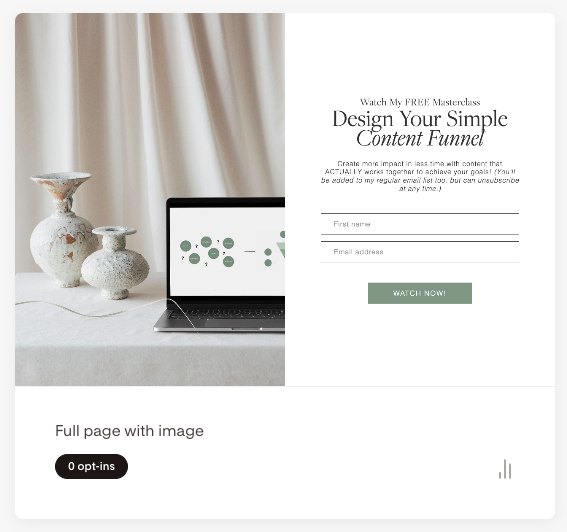
However, you may not have a website - or you may not be confident setting up a page and embedding a form - in which case you can create a sign up form PAGE directly inside your email marketing software.
I’m not sure if every tool lets you do this, but Flodesk* definitely does! Just click ‘Full Page Form’ when creating a new form, and once you’ve designed the form & edited the settings, it will create a link for you to share! It’s essentially a webpage that you’ve created with Flodesk (rather than your own website).
Check out my online course - Email Marketing with Flodesk - where I show you how to set up forms, connect to segments, and actually deliver your opt-in incentives using automations!

Step 3: Talk about your email list or opt-in incentive on Instagram Stories
Now that you have your link ready to share, it’s time to talk about your email list (or your incentive) and WHY your target audience should sign up for it over on your Instagram Stories. Stories is perfect for this because it feels more personal, and you can use links directly in your Stories (vs a post, which doesn’t let you include working links!).
Step 4: Use the ‘link sticker’ on stories to paste the email sign up link
Tap on the ‘sticker’ icon when creating your Instagram Story, and choose the ‘link sticker’. Here, you can paste in the link to your sign up form page and add some text like ‘sign up here’ to the button, and share with your followers!
No when people are watching your Stories, they can tap on this sticker and go straight to your sign up form.

2. Create a ‘link in bio’ page with your sign up form
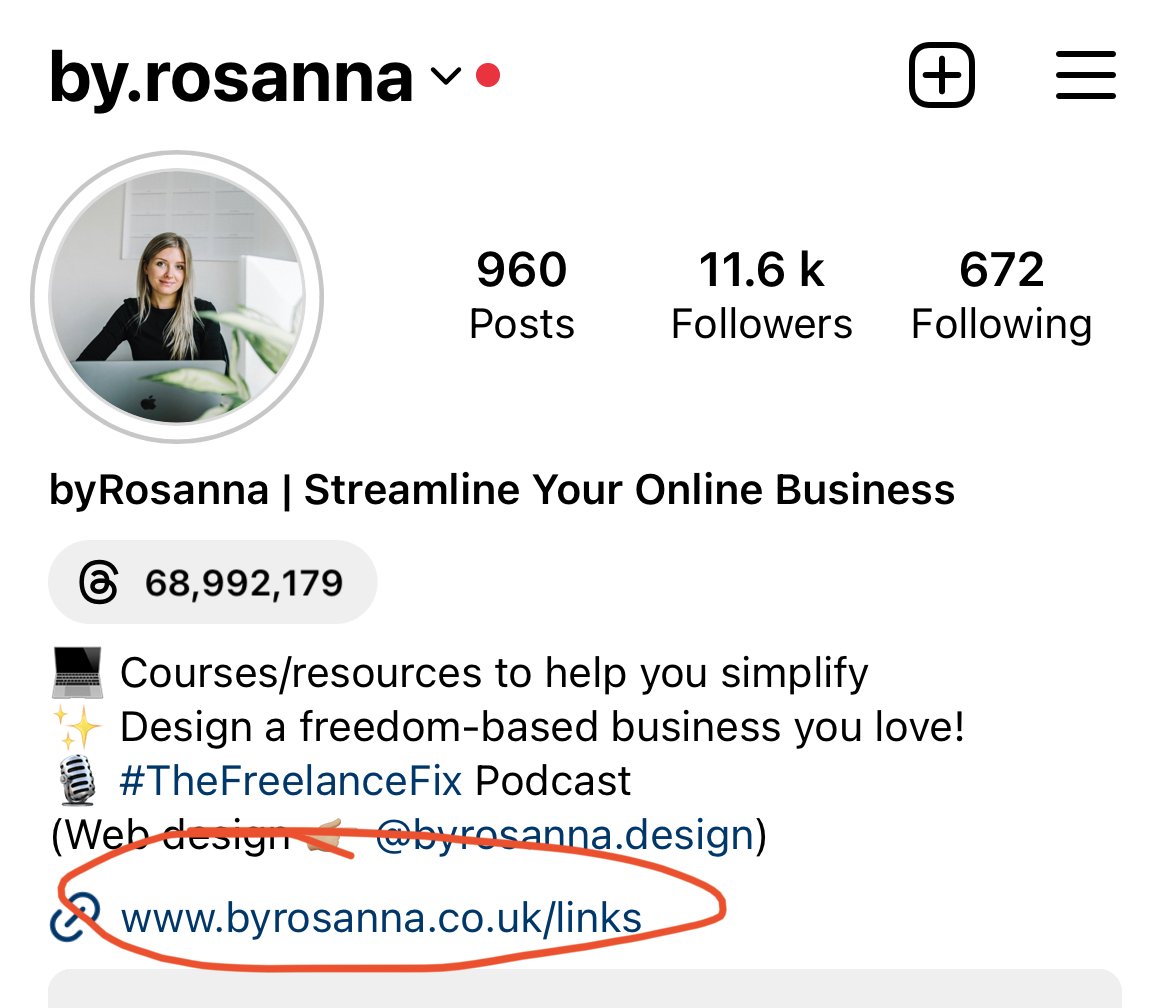
In your Instagram profile, you have the ability to add a link to take people to your website (or any site, for that matter!), so this is a great place to link to your email sign up form so that your new followers can easily find it.
There are a few options for how to do this:
Link straight to the sign up form page from your Instagram bio link
You could just paste in the link to your email sign up page as the main link in your bio, and people will go straight to that page if they tap it. BUT, not everyone who taps this might be interested, and this stops you from being able to show other options for people to click on.Create a ‘link in bio’ page with buttons, and have one of the buttons linking to your email sign up page
You’ve probably seen some people have specific landing pages created for Instagram, which host a few different links or buttons with different options for your followers to click on. You can create one of these on your website by making a page and adding buttons, OR you can use a ‘link in bio’ tool/software which helps you make this.
Create a ‘link in bio’ page with email sign up form built in
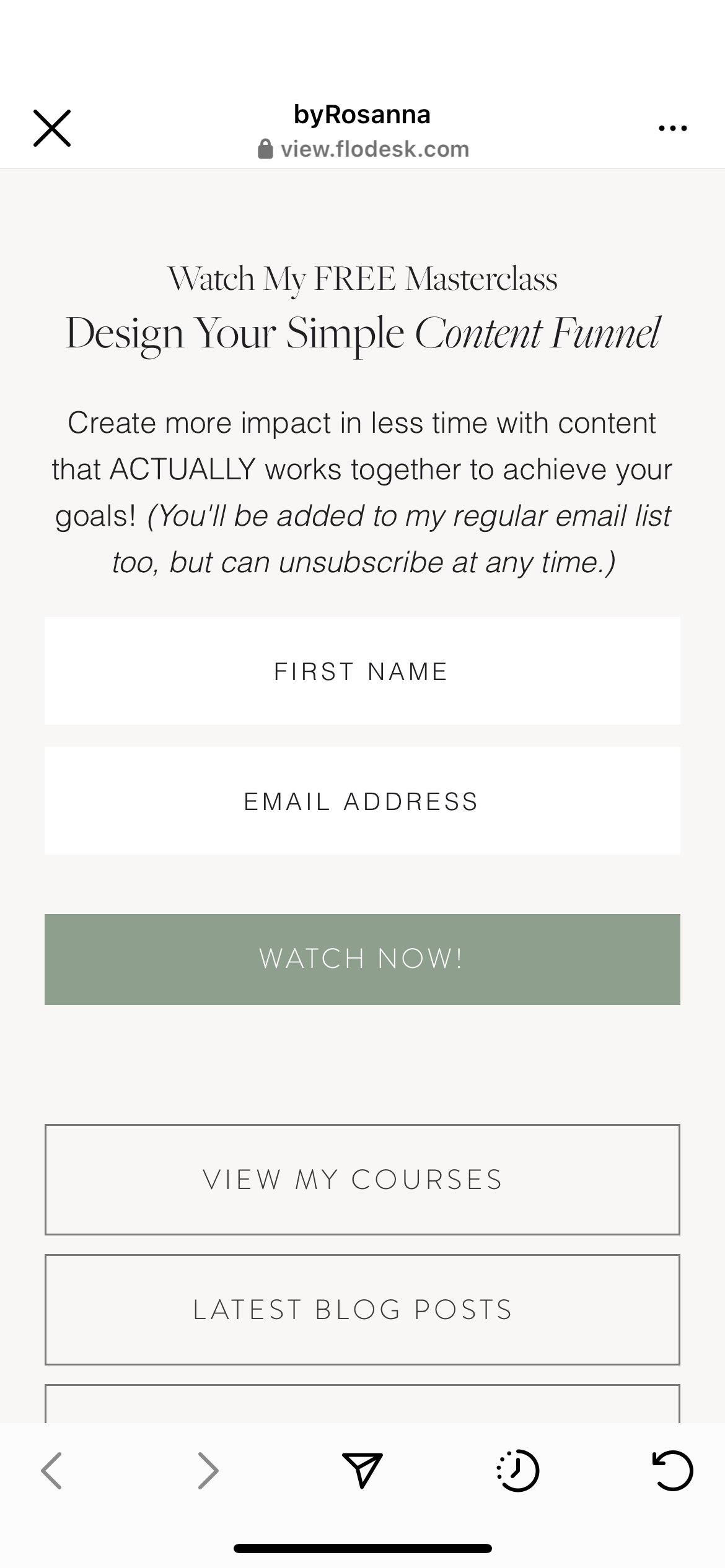
If you add your email sign up page link as a button to this landing page, it still requires an extra step for people who clicked on your link on your Instagram profile. You could cut down the taps/steps needed by just embedding your email sign up form straight on this ‘link in bio’ landing page! Again, you can make this on your own website, use a ‘link in bio’ tool, or….
…for Flodesk users: Use the new ‘social form’ feature for your ‘link in bio’ page!
Flodesk recently released a new feature called ‘Social Forms’ which makes this SUPER easy, without the need for additional software with a ‘link in bio’ tool.
Go to Forms > Social Form, and select the segment we discussed before, and create a beautifully designed, branded ‘link in bio’ page with a sign up form embedded, and links to other webpages, all within Flodesk. It will then give you a link which you can add to your Instagram profile!
3. Use automations to send the sign up link to followers who ‘opt in’
You also want to be talking about your email list and your opt-in incentive in your Instagram posts and Reels, but asking people to ‘go and tap the link your in your bio’ creates lots of steps for your audience - so lots of them may not bother!
Instead, we can make it superrr easy for people to sign up by automatically sending those who are interested the email sign up link directly to their DMs!
Step 1: Create an instagram post or reel about your email list or incentive
Your Instagram post or Reel can talk about what to expect from your email list / incentive and why your target audience should join.
Step 2: Ask people (in the post or in the caption) to comment a specific word below
If your post has text in it, you can include this in the text, OR write in the caption asking people to comment a specific word in the comments under the post. This word is up to you - but make it relevant to your email list or incentive eg. ‘Comment EMAIL below’ or ‘Comment FREEBIE below’ or ‘Comment MASTERCLASS below’.

Step 3: Set up an automation that sends people the sign up link as a direct message
When someone comments the word under your post, you can technically tap ‘message’ by their comment and send them a message with your email sign up page link yourself… but why do it all manually when you can automate this?
I use a tool called ManyChat* to do this, and the best part is it’s FREE to use up to a certain number of messages! You can create a free account, connect your Instagram, then set up a new ‘Flow’ and select the ‘trigger’ to be that someone has commented a specific keyword on a specific post on your profile.

Then the ‘action’ (or thing that happens after the ‘trigger’) is that you send a message to someone who comments saying thanks and linking to your email sign up page!
I give you the exact step by steps in this YouTube video for this, by the way!
So now when people comment with that word, they’ll automatically receive a DM where they can easily tap the link and sign up straight away.
Create more impact & results when your content when your platforms are working together to achieve your goals 👏🏼
Want to learn how to develop your content marketing funnel further?
*Indicates an affiliate link where I get a small commission if you pay for this tool. I only recommend products & tools that I personally use and love, though!